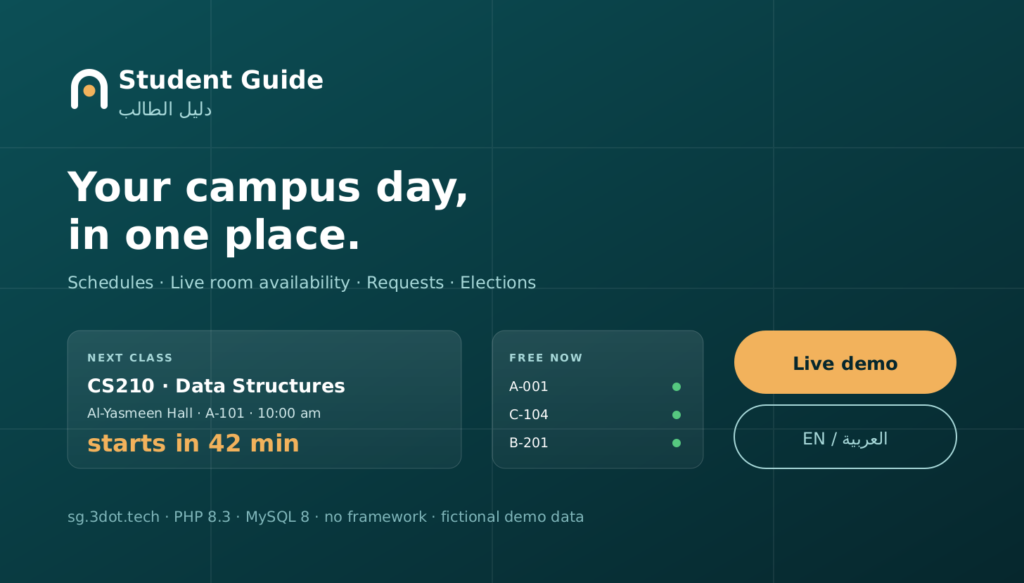
Student Guide — Digital Campus Platform
An Arabic/English digital campus platform that brings schedules, real-time room availability, academic requests, announcements, student elections, and campus services into one clear mobile-first experience.
- Role
- Product design and full-stack delivery
- Category
- Education platform
- Status
- Live public demo
- Stack
- PHP 8.3 · MySQL 8 · no framework
Overview
Student Guide is a bilingual campus platform built around a single idea: a student opening their phone between classes has five questions, and a university portal makes them work for every one of them.
The product answers all five on one screen — what is on today, where it is, which room is free right now, what needs attention, and what they can take part in — then gets out of the way. Everything else in the system exists to keep those five answers correct.
The problem
- Timetables live in a portal designed for desktop enrolment, not for a corridor on a phone.
- Finding an empty room means walking the building and trying door handles.
- Academic and activity requests disappear into an inbox with no status and no history.
- Announcements, elections and campus information are scattered across separate systems.
- Arabic, where it exists at all, is usually a translation layer bolted onto a left-to-right layout.
What Student Guide does
- One dashboard: current or next class, the room, and a live countdown to it.
- An empty-room finder that filters by time, building, capacity, equipment and step-free access.
- Requests with a real status timeline, staff review, and internal notes the student never sees.
- Announcements, notifications and student elections in the same place.
- Arabic and English as equals — proper right-to-left layout, not a mirrored afterthought.
My role
Everything. The product decision about which five questions mattered, the information architecture, the visual identity and design system, the domain model, the availability engine, the security model, the bilingual copy in both languages, the test suite, the deployment tooling, and the production operation of the live demo.
The strategy: answer five questions, then stop
The original 2022 concept this revisits was a list of features — schedules, empty rooms, forms, elections, campus information. Delivered as a feature list, that becomes another portal.
So the brief was rewritten as five questions a student actually has, in the order they have them:
- What classes do I have today?
- Where is my next class, and how long do I have?
- Which room is free right now?
- What needs my attention?
- What can I take part in?
Every screen earns its place by answering one of those. The dashboard answers the first four above the fold; the room finder answers the third in one tap. Features that answered none of them — messaging, social feeds, gamification — were left out on purpose.
Information architecture
Five destinations, chosen so the mobile tab bar never needs a sixth: Dashboard, Schedule, Rooms, Requests, and an overflow sheet for Campus, Announcements, Elections, Notifications, Bookings and Settings.
Staff and administrators get additional surfaces in the same shell rather than a separate back office — a faculty member reviewing a request is one tap from the schedule they were already looking at.
Three roles, one shell
Student
Dashboard with a live countdown, today/week/agenda schedule with clash detection, the room finder, bookings and QR check-in, academic requests, elections, notifications and preferences.
Faculty
Teaching schedule, today’s rooms with live availability, and a review queue: take a request into review, approve, reject or ask for changes, plus internal notes the student never sees.
Administrator
Users and roles, buildings and rooms, courses, announcements that fan out as notifications, request types, elections and result visibility, analytics with CSV export, and the activity log.
The room availability engine
This is the part of the product most likely to be wrong in a way nobody notices until two groups arrive at the same door.
There is no is_free column anywhere. A room is busy in a window when either a recurring class session on that weekday overlaps it, or a non-cancelled booking overlaps it. Overlap is the standard half-open comparison — a.start < b.end AND b.start < a.end — so 10:00–11:00 and 11:00–12:00 both fit, which is what a back-to-back booking should do.
Booking runs inside a transaction that first takes a row lock on the room. That serialises every concurrent attempt on the same room, so the overlap check that follows cannot be raced by a second request arriving a millisecond later. A unique key on the slot is a second, coarser backstop.
Why the lock matters. Checking availability and then inserting is two statements. Without the lock, two students can both pass the check before either inserts, and both get the room. The lock makes the check-and-insert atomic per room without blocking bookings for any other room.
The overlap matrix is covered by tests: a booking overlapping the start, the end, one fully inside, one fully containing, an identical one, and both back-to-back cases — plus zero-length and inverted windows, which are refused outright.
Academic requests that actually move
Five request types — activity, academic support, document, facility issue, student service — each declaring its own fields in JSON. That declaration drives both the rendered form and the server-side validation, so a field the type never declared cannot be submitted, and a payload carrying status or is_admin has those keys discarded rather than stored.
The workflow is a real state machine: draft, submitted, in review, changes requested, approved, rejected, withdrawn. Each transition names who may perform it, and the server enforces that — a student cannot approve their own request even by posting directly to the reviewer route.
Rejecting a request, or asking for changes, requires a reason. A student who is told “rejected” with no explanation has to start the conversation over, so the form will not submit without one.
Reviewers can add internal notes. Those are stored with a visibility flag and filtered server-side, and a test signs in as the requesting student to assert the note is absent from their view.
Elections: separating the voter from the vote
A student election module invites an obvious question — can whoever runs the database see how I voted? The honest answer had to be no, and it had to be structural rather than a promise.
So there are two tables. One records that a person voted, and carries a unique key on (election, user) — that key, not application code, is what enforces one vote each. The other records what was voted for, and holds no voter reference at all. The two cannot be joined. A tally is possible; attribution is not.
Tests assert this at the schema level: the ballot table has no user column, the voter table has no candidate column, the unique key exists, and a direct duplicate insert is rejected by the database itself. The audit log records that a user voted, and deliberately not for whom.
This is a sound design for a demonstration. It is not a certified voting system, and the case study says so in the limitations below rather than leaving it implied.
A public demo that survives the public
The demo accounts are printed on the sign-in page, which means anyone can sign in as an administrator. That is the point — and it is also the problem.
Demo mode refuses, server-side, the operations that would let one visitor spoil the demo for everyone else: creating or deleting users, changing roles, deactivating accounts, deleting core records, writing settings, sending mail. Each refusal is logged to the audit trail with the operation name and surfaced in an admin panel that lists what is blocked and what has recently been attempted.
Everything genuinely product-shaped stays enabled — booking rooms, submitting and reviewing requests, voting, publishing announcements, editing rooms — because a guarded nightly job restores a checksum-verified pristine dataset, which makes all of it reversible.
That reset refuses to run unless every guard passes: an exclusive lock, demo mode on, the target database named correctly, the snapshot matching its recorded checksum, the snapshot containing no database-level statements, and a least-privileged credential file present. It then verifies the restore left a non-zero user and room count.
Security
- CSRF middleware injected ahead of route middleware, so a new state-changing route is protected by default. A test sweeps every non-GET route in the router and asserts each returns 419 without a token.
- Server-side role checks on every privileged route, plus per-record ownership checks — a student cannot read another student’s request, cancel another user’s booking, or mark another user’s notification read.
- Prepared statements throughout with emulation disabled; column names in dynamic SQL come from fixed allow-lists, never from input.
- Login throttling on both the account and the source address, with identifiers stored only as SHA-256.
- Uploads restricted by detected MIME type, stored outside the document root under a server-generated name, and re-validated against a strict pattern before any file is read.
- A Content-Security-Policy of
default-src 'self'with nounsafe-inlineanywhere — achievable because the campus map positions elements with SVG attributes and the analytics bars use generated width classes rather than inline styles.
The security suite tests these as behaviour, not as configuration: XSS payloads through stored fields, SQL payloads through every search and filter, path traversal against attachment downloads, open-redirect attempts against the language and theme switches, and assertions that no database password, application key, password hash or server path appears on any rendered page.
Arabic and English, as equals
514 translation keys per locale, with a test that fails the build if the two key sets diverge, if any value is empty, if the interpolation placeholders differ between locales, or if an Arabic value is still a copy of the English.
Content is bilingual in the data model rather than in a translation layer: courses, rooms, buildings, announcements and candidates all carry paired columns, so Arabic is real content and not a rendering of English.
The layout uses CSS logical properties throughout — margin-inline-start, border-inline-start, inset-inline-* — which is why the right-to-left view is a true mirror with no direction-specific overrides. Dates render in both Gregorian and Hijri calendars, and numbers use Arabic-Indic digits, through the intl extension.
What RTL actually broke. Two things, both found by looking rather than assuming. The select dropdown arrow was drawn with two CSS gradients forming a triangle; mirrored, the halves formed a broken mark, so it became a single symmetric SVG chevron. And the Arabic status filter row is wider than the English one — long enough to push the page sideways at 360px — so it now scrolls inside itself.
Mobile and accessibility
Designed at 360px first, because that is the width a student actually checks their timetable at. Verification was done by rendering the app in fixed-width iframes at true mobile viewports and measuring the result, rather than trusting a resized desktop window.
That measurement found real defects: a grid overflow caused by the default min-width: auto on grid children, tab labels wrapping and clipping at 360px, truncation that did nothing because text-overflow does not apply to inline boxes, and several controls under the 44px touch target. All fixed and re-measured.
- Every interactive control meets 44×44px at every width.
- Visible keyboard focus, a skip link, semantic headings, labelled form controls and table captions.
- Wide content scrolls inside its own container; the page body never scrolls sideways.
prefers-reduced-motionrespected;prefers-color-schemehonoured with an explicit override.
Architecture
PHP 8.3 on MySQL 8 with zero runtime dependencies. There is no composer.json because there is nothing to install: the router, service layer, validator, translator, migrator and test runner are part of the application.
That was a deliberate trade. A framework would have saved perhaps a week; not having one means this project still installs and runs years from now with git clone, a database, and two commands — and every line of its behaviour is inspectable in one repository.
The layering rule is simple and enforced by convention: controllers may call services, services may call each other and the core, and nothing in the service layer knows what HTTP is. That is why the availability engine can be tested directly, and why the seeder reuses the same conflict-safe booking path a live request uses — the demo data is generated through the production code, so it cannot contain a conflict the application would reject.
Testing
556 assertions across unit, feature and security suites, dispatched through the real kernel in-process — routing, middleware, CSRF, authorisation, controllers and views all take part. These are functional tests, not mocks.
Unit
The availability overlap matrix, check-in guards, schedule and clash detection, election one-vote enforcement and ballot secrecy, validation rules.
Feature
Public routes, authentication and throttling, every role against every protected route, the full request workflow, voting, notifications, demo-mode restrictions, locale parity.
Security
A CSRF sweep over every state-changing route, injection and escaping, access control and file handling, headers and secret leakage.
The suite refuses to run against a production environment or a database not named for this project, and it restores any state it changes so a run leaves nothing behind.
Deployment
The demo runs on a shared VPS alongside several unrelated applications, which shaped the deployment more than anything else: nothing SG does may affect a neighbour.
- A dedicated Unix user, PHP-FPM pool, socket, session directory, database and least-privileged database users — with an
open_basedirthat cannot reach another application. - A verified checkpoint before every deployment, recording the application, database, configuration, service state, a health baseline for every co-hosted site, and its own checksums.
- The installer validates both
php-fpm -tandnginx -tbefore reloading anything, and refuses an artifact containing PHP in the document root or any world-writable file. - A tested rollback script, and nightly backups whose dumps are restore-tested into a scratch database.
Two bugs the deployment itself found. A defence-in-depth nginx rule denying source directory names silently matched the application’s own /app/ URL namespace, 404-ing every authenticated route — caught by verifying production rather than assuming it. And assets served immutable for a month meant a deployed CSS change would not reach a returning visitor, so asset URLs are now fingerprinted per release.
Verified results
Verified on the live domain after deployment: every route for all three roles, both languages with correct text direction, HTTP to HTTPS redirect, a valid certificate chain over HTTP/2, the full security header set with no duplicates, no console errors, no Content-Security-Policy violations, and every co-hosted application unchanged against its pre-deployment baseline.
These are engineering results. There are no adoption or usage numbers here because the product has no users — it is a demonstration, and inventing traction for it would defeat the point of publishing the code.
Limits, honestly
- The elections module demonstrates a sound one-vote-per-person design with a secret ballot, but it has not had the independent security review, verifiable receipts or threat model a binding election requires.
- No penetration test or third-party audit has been performed.
- The campus map is an original schematic of an invented campus. It is not a real map, is not to scale, and claims no geographic accuracy.
- Every person, course, room, building, request and election is fictional; addresses use the reserved example.com domain. No real institution is represented and none is affiliated.
- Password reset and outbound email are deliberately absent while the public demo is running.
- Attendance, grades, fees and enrolment changes are out of scope — they belong to a student information system, and this product is deliberately the layer above one.
See it running
The live demo is public and seeded with fictional data. Sign in as a student, a faculty member or an administrator — the accounts are listed on the sign-in page — and the dataset is restored nightly.