Skip to content
Live Demo

Paste Studio — Social Media Downloader & Image Toolkit

A privacy-conscious media workspace for pasting, converting, resizing, optimising, and downloading authorised content through one streamlined bilingual experience.

Role
Product design and full-stack delivery
Category
Media utility
Status
Live public demo
Stack
PHP 8.3 · Canvas API · no framework
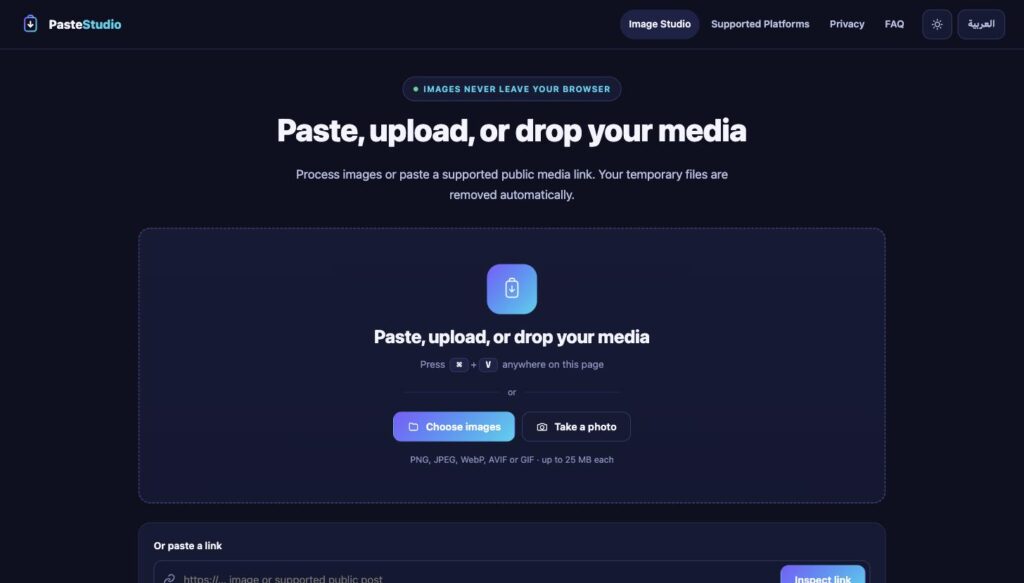
Paste Studio home screen with a large paste, upload or drop area and a link input below it
One input area accepts a clipboard paste, a drop, a file picker, the camera, or a link.

Overview

Paste Studio turns a clipboard image into a finished file in as few steps as possible, and tells the truth about what it can do with a social-media link. Images are converted, resized, cropped, optimised and stripped of metadata entirely inside the browser. Links are inspected through each platform’s own public interfaces — nothing is scraped and no protection is circumvented.

The problem

  • Resizing one image for four networks means four tools or a heavyweight editor.
  • Most “downloader” sites are advertising traps with fake download buttons.
  • Uploading a private screenshot to an unknown server to crop it is a poor trade.
  • Photos carry EXIF and GPS that people publish without realising.
  • Tools promise formats and qualities the source never had.

What Paste Studio does

  • Presets for every major network, in one place.
  • No advertising, no fake buttons, no dark patterns.
  • Images never leave the browser — there is nothing to upload.
  • Metadata is dropped by default, and the interface says so.
  • It states plainly what is and is not possible, per platform.

My role

Everything: the product decision about what to build and what to refuse, the brand and interface, the Arabic and English content, the client-side image engine, the SSRF-hardened link service, the test suites, the server configuration, and the deployment.

The decision that shaped the product

The original brief asked for YouTube and social-media downloads. Building that means using a tool like yt-dlp, which works by deciphering YouTube’s signature and throttling parameters. That is circumventing a technical protection measure, and it breaks terms that bind the operator of the service — a checkbox from a visitor cannot waive them.

So Paste Studio does not download video or audio streams. Instead it uses each platform’s own public oEmbed endpoint for metadata, relays the thumbnails they already publish as ordinary images, offers the official embed code, and points content owners at the platform’s own download. The Supported Platforms page states this in a table rather than burying it.

That constraint turned out to be the product’s strength. With no media pipeline there is no job queue, no temporary media on disk, no cleanup to get wrong, and no retention question to answer carefully — because nothing is retained.

The journey

  1. Paste or uploadClipboard, drag and drop, file picker, mobile camera, or a link.
  2. PreviewType, dimensions, file size, transparency, EXIF presence — before anything is changed.
  3. ChooseA preset, or format, size, fit and quality. Advanced options stay folded away.
  4. DownloadOne file, or the whole batch as a ZIP built in the browser.

Nothing downloads automatically on paste. The preview comes first and the visitor decides.

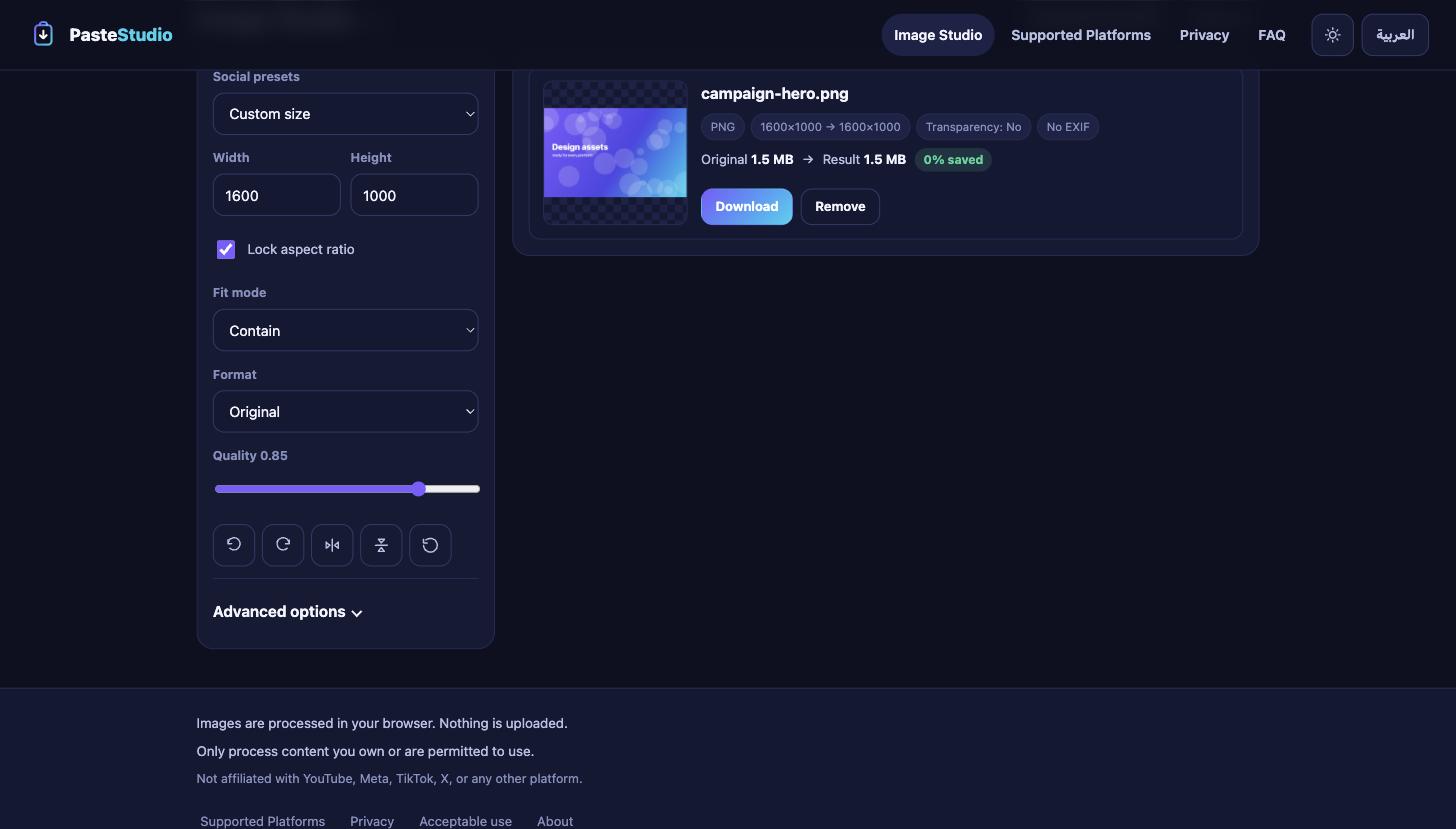
Paste Studio Image Studio showing preset, size, fit, format and quality controls beside a file card with original and result sizes
The controls a person reaches for are visible; the rest is behind Advanced options.

Image Studio

All of this runs on a canvas in the visitor’s browser. There is no upload, no queue and no server round trip.

  • Convert between PNG, JPEG, WebP and AVIF — and the encoder is probed at load, so a format the browser cannot actually write is disabled rather than silently producing something else.
  • Resize with locked aspect ratio, and fit as contain, cover or stretch.
  • Rotate, flip horizontally and vertically, reset.
  • Quality control with a live before-and-after file size and a saved percentage.
  • A background colour for transparent images flattened into JPEG, so alpha never becomes black.
  • Presets for Instagram, Facebook, X, LinkedIn, YouTube, TikTok, WhatsApp and Open Graph.
  • Batch up to 20 images, each keeping its own dimensions unless a size is chosen.
  • ZIP export, assembled byte by byte in the browser with correct CRC32 and central directory.

Link tools, and honesty about them

Eleven platforms are recognised. For each, the capability table lists what is genuinely available: metadata, thumbnail, official embed — and, in every case, no video or audio.

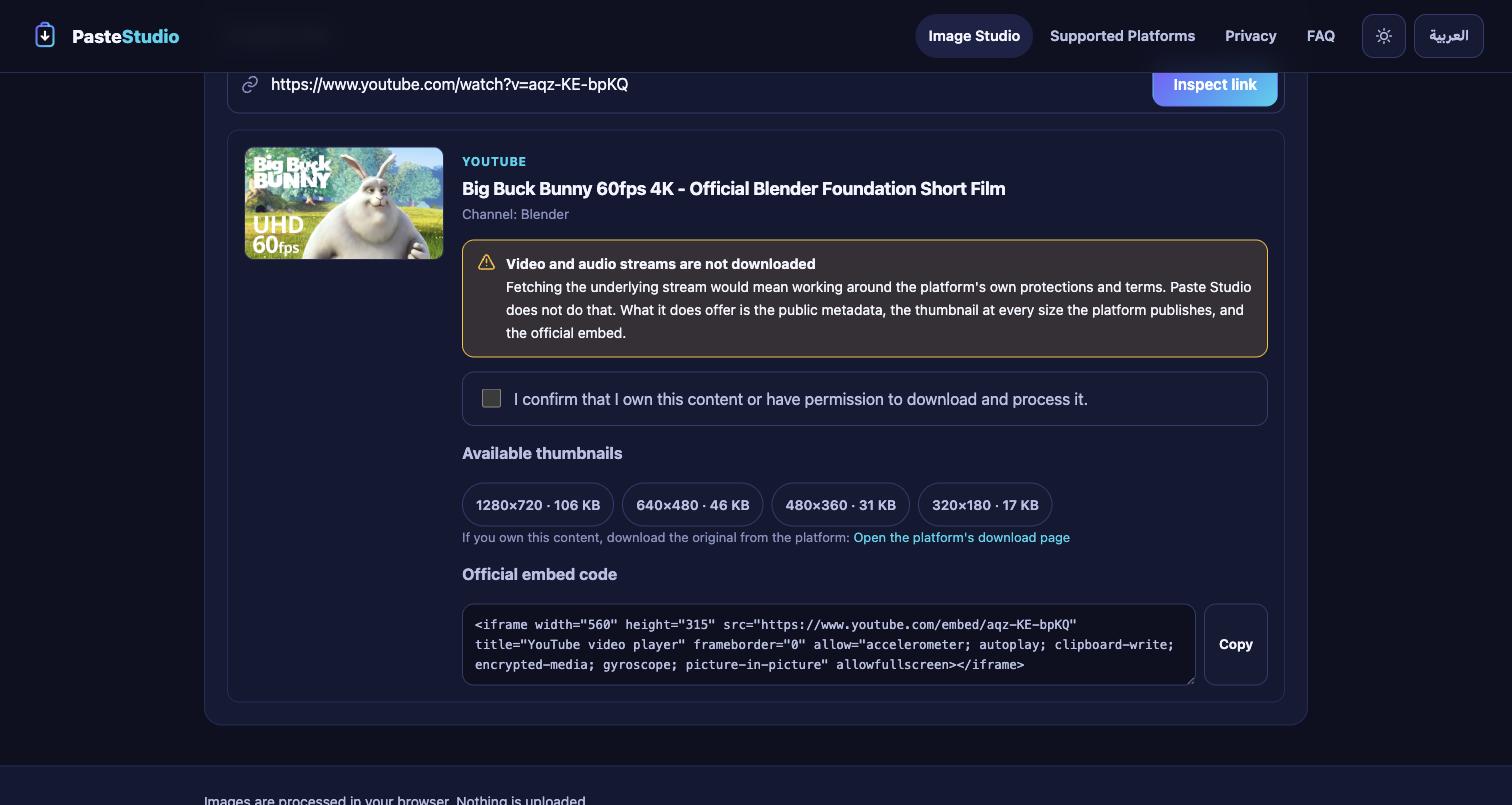
Paste Studio inspecting a YouTube link: thumbnail, title, channel, a notice that streams are not downloaded, an unchecked rights confirmation, four thumbnail sizes and the official embed code
A YouTube link. The limitation is stated where the reader is looking, not on another page.

For YouTube the video id is parsed locally and the four published thumbnail sizes are probed directly against the official image host, so the list shows only sizes that really exist, with their real byte sizes. Choosing one requires an explicit, unchecked rights confirmation, and the thumbnail then opens in the Image Studio like any other image.

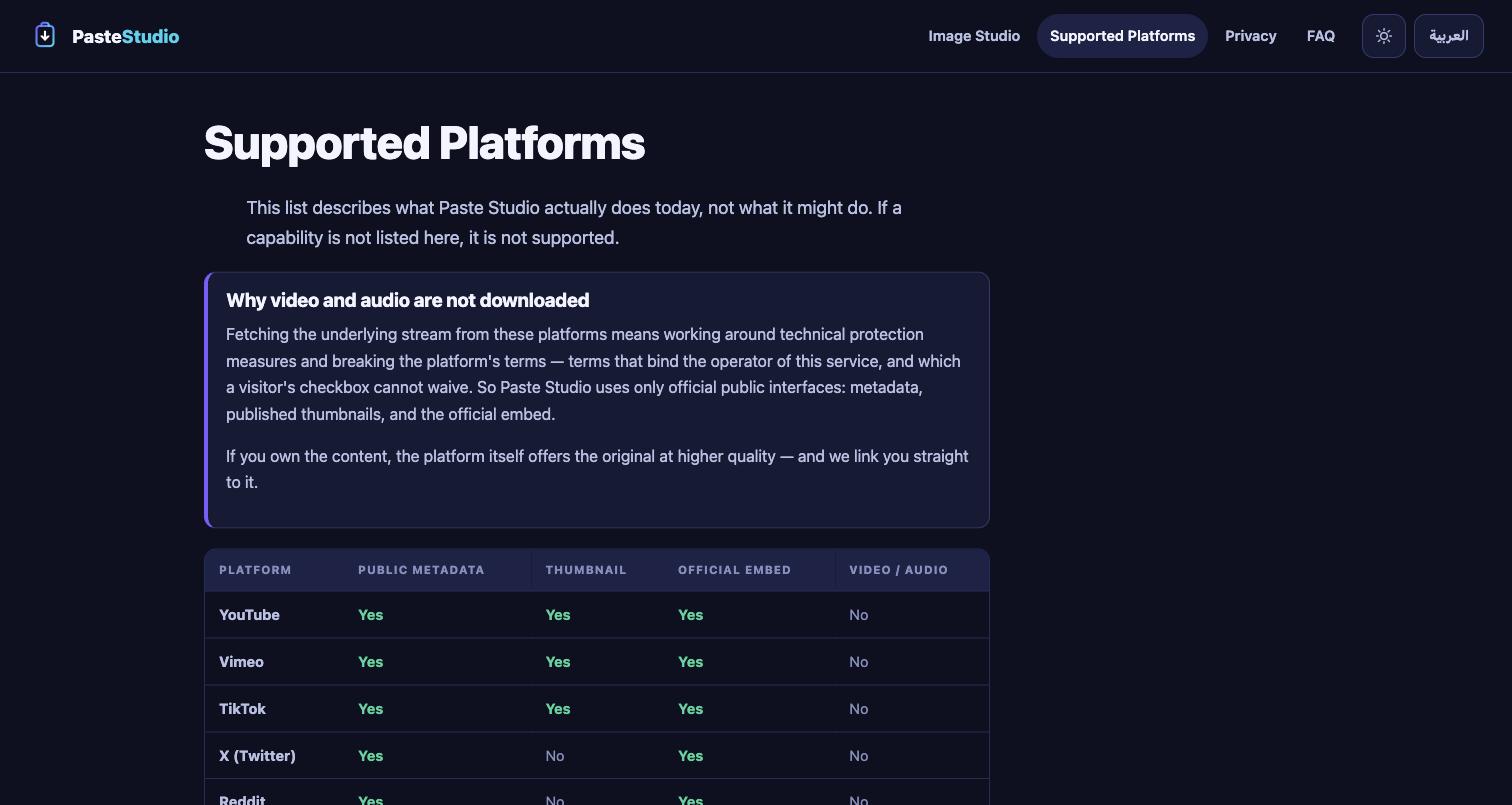
The Supported Platforms table listing metadata, thumbnail, embed and video columns for eleven platforms, with video marked No throughout
The capability table is generated from the same source the code uses, so it cannot drift.

Security: treating every URL as hostile

The link service is the only part that talks to the internet, so it is the only part that can be turned against the server. The attack to defend is Server-Side Request Forgery: persuading this machine to fetch something only it can reach — localhost, the private network, or the cloud metadata endpoint that hands out credentials.

A hostname allowlist alone does not stop that. evil.com can resolve to 169.254.169.254, and a name that resolves safely during validation can resolve elsewhere moments later when the HTTP client looks it up again — DNS rebinding. So the fetcher does three things a naive one does not:

  1. Allowlist by nameExact match or true subdomain, after normalising. An IP literal is never a valid host.
  2. Resolve and judge every addressBoth A and AAAA records. Every one must be public unicast — one private answer rejects the host.
  3. Pin the connectioncurl is given the exact address that was validated, so the name cannot resolve somewhere else between check and connect. Redirects are followed manually and re-validated from scratch.
  • IPv4 private, loopback, link-local, CGNAT, benchmarking, multicast and reserved ranges are all rejected.
  • IPv6 loopback, unique-local, link-local and multicast are rejected — and IPv4-mapped, IPv4-compatible and NAT64 forms are unwrapped and judged as the IPv4 address they really are.
  • HTTPS only, standard port only, no credentials in the URL, at most three redirects.
  • The protocol is restricted at the curl handle, so a redirect cannot hand it a file:// or gopher:// URL.
  • Responses are capped mid-transfer, and the bytes are type-checked with libmagic rather than trusted from the Content-Type header.
  • No shell is involved anywhere — there is no media tool to invoke and no command line to inject into.

What the tests actually try

The security claims above are assertions in a suite, not adjectives. Among the cases: the AWS and GCP metadata endpoints, localhost, 127.0.0.1, [::1], every private IPv4 range, IPv6 unique-local and link-local, IPv4-mapped IPv6 forms of private addresses, NAT64-wrapped loopback, file://, gopher://, a suffix-confusion host (youtube.com.attacker.example), credentials embedded in the URL, a non-standard port, and a malformed video id.

SuiteCoversAssertions
UnitAddress classification, host allowlist, URL validation, platform detection, YouTube id parsing, capability honesty, bilingual parity139
Live HTTPBoth language trees, metadata and assets, security headers, path exposure, link API, SSRF refusals, thumbnail relay, rate limiting, copy honesty105

The image engine was verified in a real browser: a PNG with genuine alpha, conversion to JPEG and WebP at several qualities, a JPEG carrying a hand-built EXIF APP1 block — confirmed present on input and confirmed absent from the exported bytes — batch processing of differently sized files, and a ZIP whose entries were extracted and decoded back into images.

Privacy that is structural, not promised

The privacy page does not say “nothing is stored”, because a web server keeps an access log and that would be untrue. What it says is narrower and verifiable: images never reach the server at all.

  • Image processing is client-side, so there is no upload, no temporary file, and no cleanup job that could fail.
  • The link endpoint receives a URL and nothing else; the response is handled in memory and never written to disk.
  • Exported images are re-encoded, which drops EXIF, GPS, camera details, timestamps and embedded comments by default.
  • No accounts, no tracking cookies, no analytics, no third-party requests from the page.
  • Rate-limit counters are keyed to a hash of the client address and swept after an hour.
  • The server cannot reach anything outside a fixed allowlist — it is not a proxy.

Keeping a public demo affordable

  • 25 MB per image and 20 images at a time, enforced before decoding.
  • A 50-megapixel ceiling, so a decompression bomb is refused rather than expanded.
  • File type judged from the byte signature, not the name or the declared type.
  • Link and thumbnail endpoints rate limited both at nginx and in PHP, answering 429 as JSON the interface can read.
  • PHP file uploads disabled outright in the pool — the application has no use for them.
  • Workers run as a dedicated unprivileged user confined by open_basedir, with a hard request timeout.
  • Because the expensive work happens on the visitor's own device, load does not scale with popularity.

Arabic and English

Each language has its own URL — /privacy and /ar/privacy — rather than a client-side toggle, so both are separately indexable and hreflang means something. The locale is a property of the path, never a cookie, which keeps pages cacheable.

  • 130 strings, generated from one shared source so a key cannot exist in one language and not the other.
  • The interface mirrors with CSS logical properties; the drawer opens from the edge the menu button sits on in both directions.
  • Arabic-Indic numerals in the Arabic interface, including file sizes.
  • Filenames render with plaintext bidi isolation so a Latin name inside an Arabic page does not truncate at the wrong end.
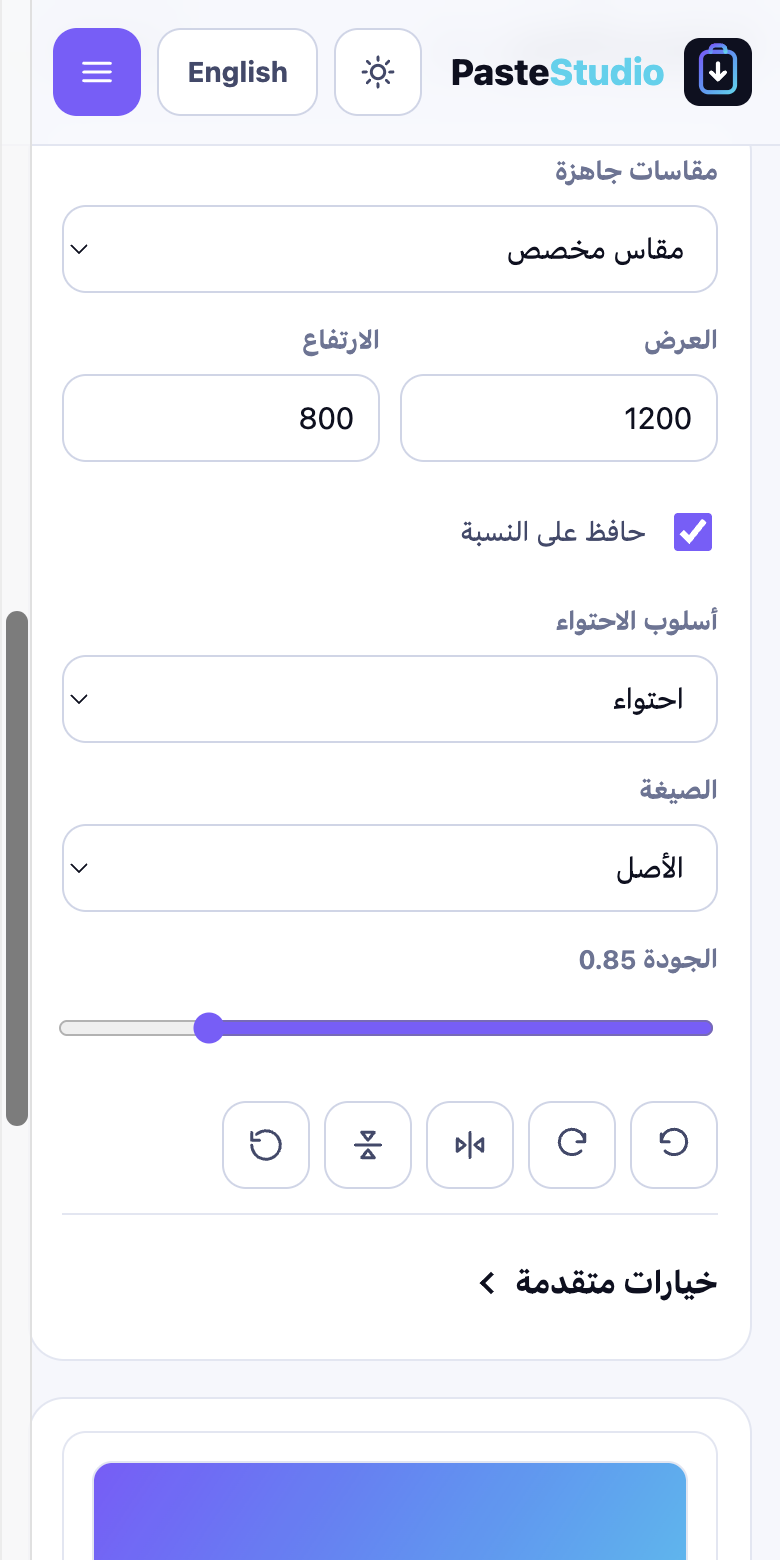
Paste Studio Arabic mobile interface in the light theme, fully right to left
Arabic, right to left, light theme.
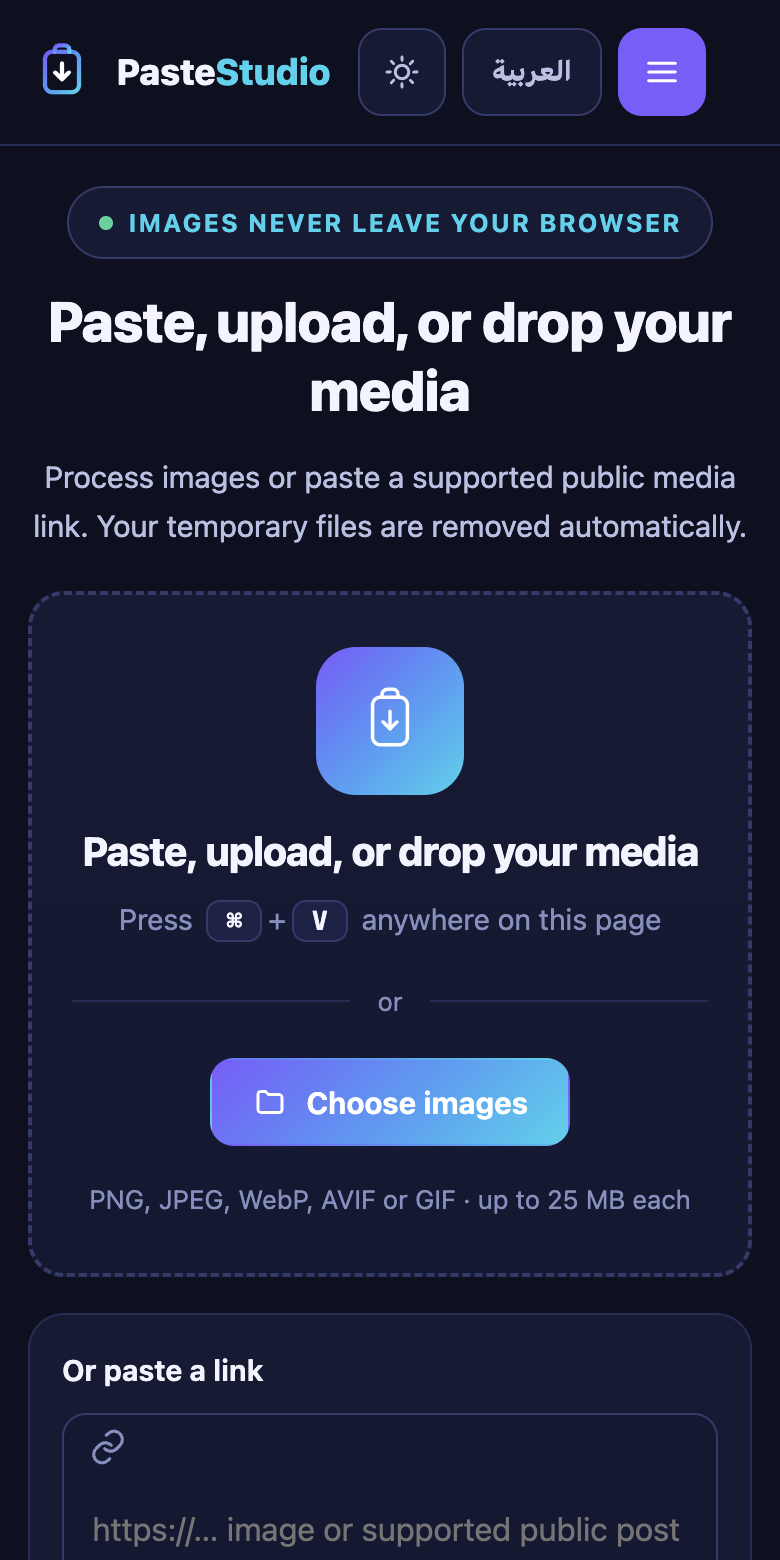
Paste Studio English mobile interface in the dark theme
English, left to right, dark theme.

Mobile and accessibility

  • Verified at 320, 360, 390, 430, 740, 768, 1024, 1440 and 1920 pixels across twelve pages in both languages: 108 combinations, zero horizontal overflow, zero undersized touch targets.
  • Below 380px the wordmark collapses to its mark so the header controls still fit — in Arabic the language button reads “English”, which is wider and was the case that broke first.
  • The mobile drawer is a real dialog: focus moves in and is trapped, Escape and the backdrop close it, focus returns to the menu button, and background scrolling is locked.
  • Single h1 per page, landmark regions, labelled controls, a skip link, and a live region for status messages.
  • Status is never colour alone, and prefers-reduced-motion stops every transition.

Architecture

PHP 8.3 rendering both language trees, a tiny JSON API, and vanilla JavaScript doing the image work. No framework, no build step, no package manager, no runtime dependencies.

  • SafeFetch — the outbound HTTP guard: allowlist, address validation, connection pinning, manual redirect handling.
  • Sources — the platform table, which drives both the API and the public capability page, so documentation cannot drift from behaviour.
  • Rate — file-backed per-client limiting that trusts the proxy header only when the peer really is the local proxy.
  • app.js — decode, canvas pipeline, encoder probing, EXIF detection, batch, and a ZIP writer.
  • Its own system user, PHP-FPM pool and open_basedir; nginx serves only the public directory and denies everything above it.
  • A service worker caches the static shell for offline use and never caches anything under /api/.

One bug worth recording: the worker originally matched cached assets with ignoreSearch: true, which quietly defeated the mtime-based cache busting — a new build produced a new URL and the worker served the old body anyway. Matching the full URL fixed it.

What was measured

Figures from the build itself. There are no user numbers or download counts here, because this is a portfolio demo and has none.

  • 244automated assertions passing
  • 51SSRF and URL-validation cases refused
  • 108page × width checks with no horizontal overflow
  • 0bytes of visitor imagery reaching the server
  • 130strings, complete in both languages
  • 11platforms, each stated honestly

Technology

  • PHP 8.3
  • Vanilla JavaScript
  • Canvas API
  • createImageBitmap
  • nginx
  • PHP-FPM
  • No framework
  • CSS logical properties
  • Progressive Web App
  • Service worker
  • oEmbed
  • Bilingual AR / EN

Try it

Paste a screenshot, drop a photo, or try a public YouTube link and see exactly what it will and will not do.