Skip to content
All projects

LiveProgressive web app1-minute read

Sakenah

Bilingual prayer times that work offline, show their city and method, and need no account.

Built with
  • Vanilla JS
  • Service worker
  • Web app manifest
  • AlAdhan API
  • Arabic / English
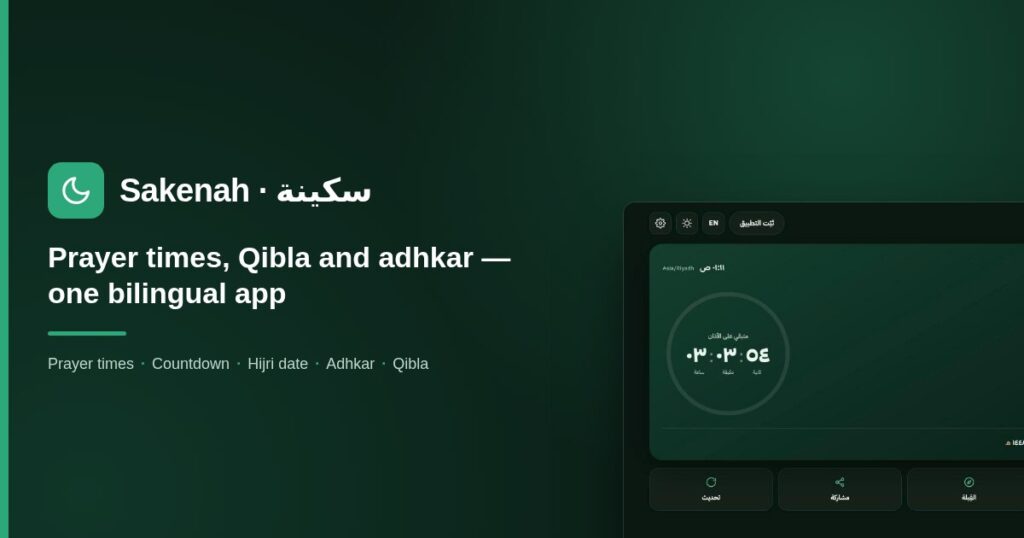
Sakenah — bilingual prayer times, Qibla and adhkar

Problem

Most prayer apps need an account or carry trackers, treat Arabic as an afterthought, and fail without a connection.

Solution

A bilingual web app answers one question well, when the next prayer is and how long is left, then adds the day's schedule, the Hijri date, adhkar and a Qibla bearing. It needs no account, carries no tracking and installs like an app.

My contribution

Product planning, UX, full-stack build, offline strategy, Qibla and sensor handling, and deployment.

Key features

  • Times by location or by country and city
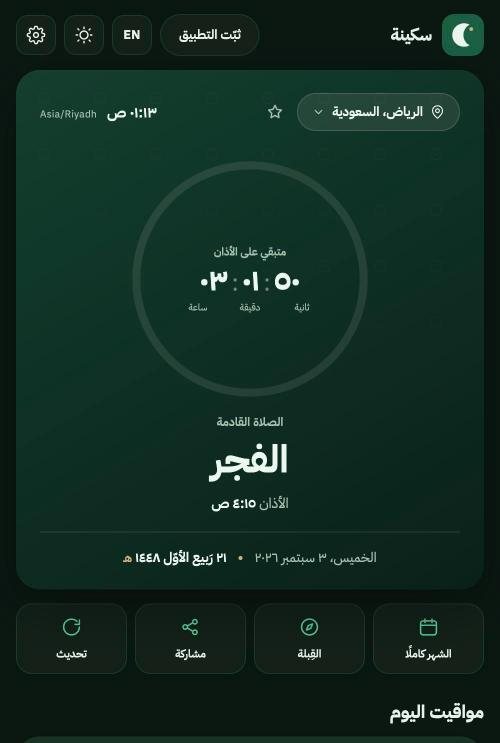
  • Next-prayer countdown and Hijri and Gregorian dates
  • Adhkar with counter and cited sources
  • Qibla guidance with an honest compass

Outcome

A month of times is cached, so a normal day needs no network at all.

Live public app. The live compass is guidance, not a precision instrument, and the page says so.
Technical details and full write-upArchitecture, security, testing and decisions, for readers who want the detail.

Overview

Sakenah answers one question well: when is the next prayer, and how long do I have? Around that it adds the day’s full schedule, the Hijri date, morning and evening adhkar, and a Qibla bearing — in Arabic and English, with no account and no tracking.

The problem

  • Most prayer apps ask for an account, or carry advertising and trackers.
  • Arabic is often an afterthought — a translated layer over a left-to-right layout.
  • Times go stale or stop working entirely when the connection drops.
  • Qibla features frequently show a moving needle even where no compass exists.

The solution

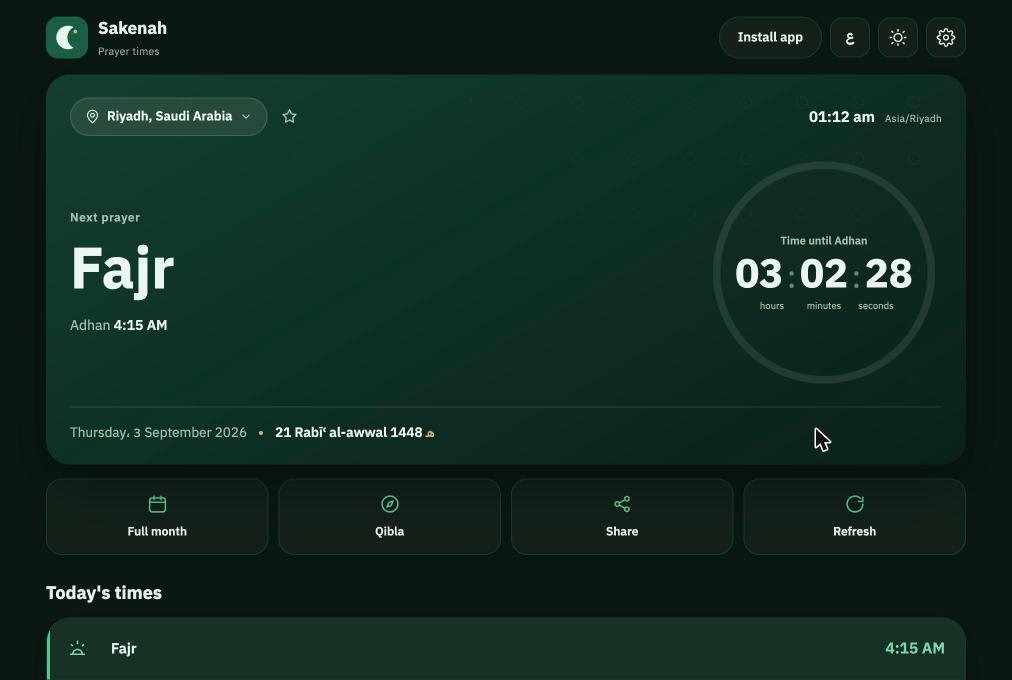
  • Open it and the next prayer and countdown are already on screen.
  • Arabic-first: a genuine right-to-left layout, with English as the second language.
  • A month of times is cached, so a normal day needs no network at all.
  • The Qibla states plainly whether it is a fixed bearing or a live compass.

My role

Product planning, UX structure, full-stack implementation, bilingual experience, offline and caching strategy, Qibla correction and device-sensor handling, and production deployment.

Core features

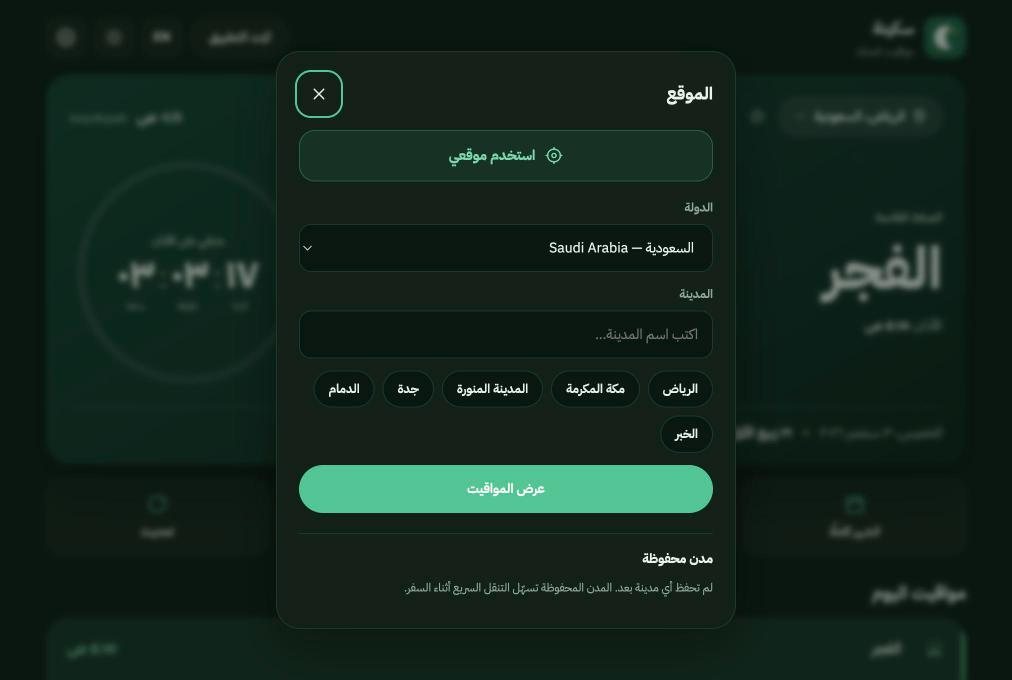
  • Prayer times by location — device location or manual country and city selection.
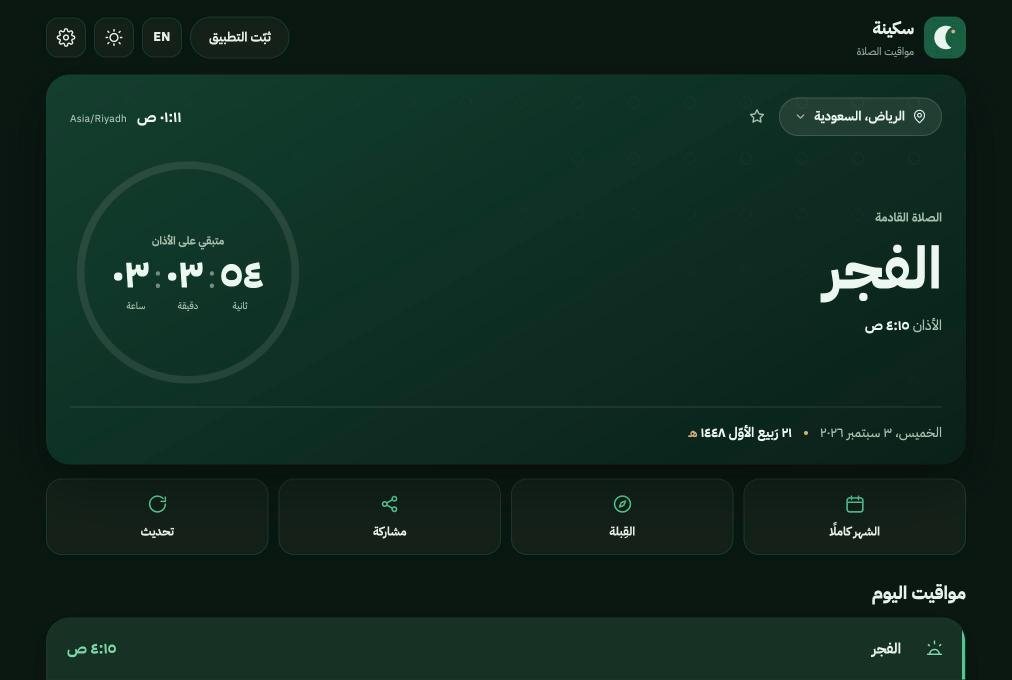
  • Next-prayer countdown — live hours, minutes and seconds to the next adhan.
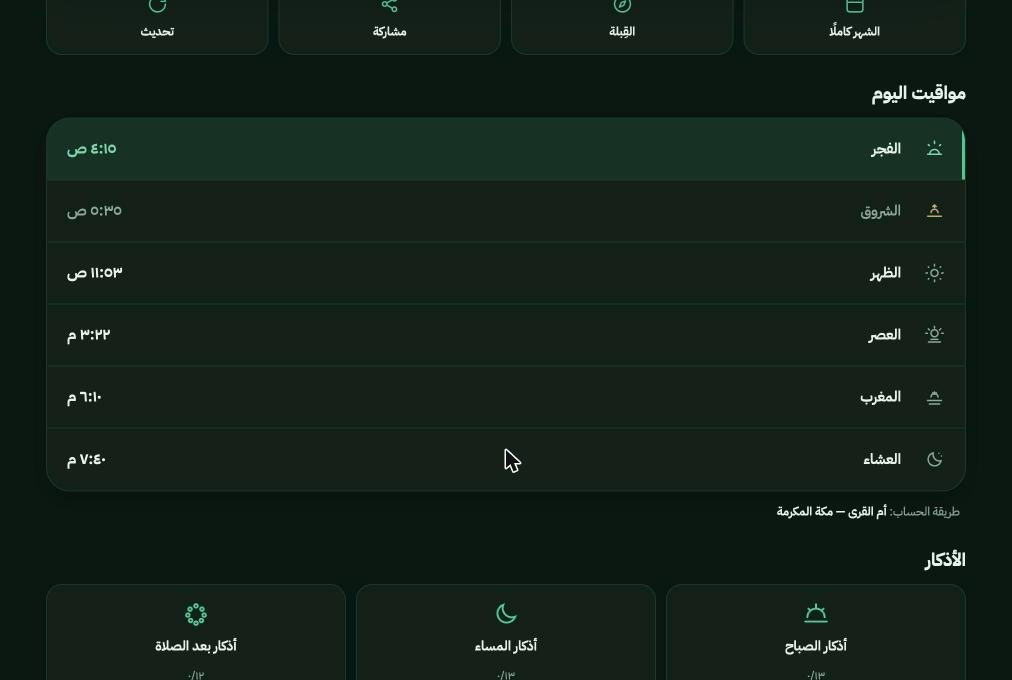
  • Daily schedule — Fajr through Isha with the active prayer highlighted.
  • Gregorian and Hijri dates — both shown together.
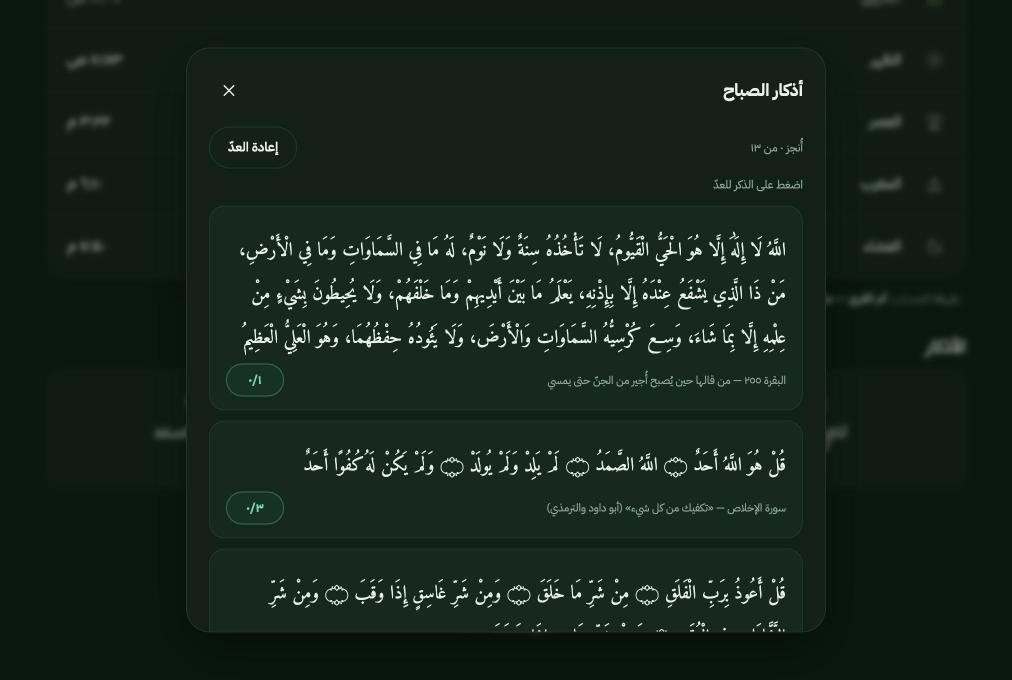
  • Adhkar — morning, evening and after-prayer, with a counter and cited sources.
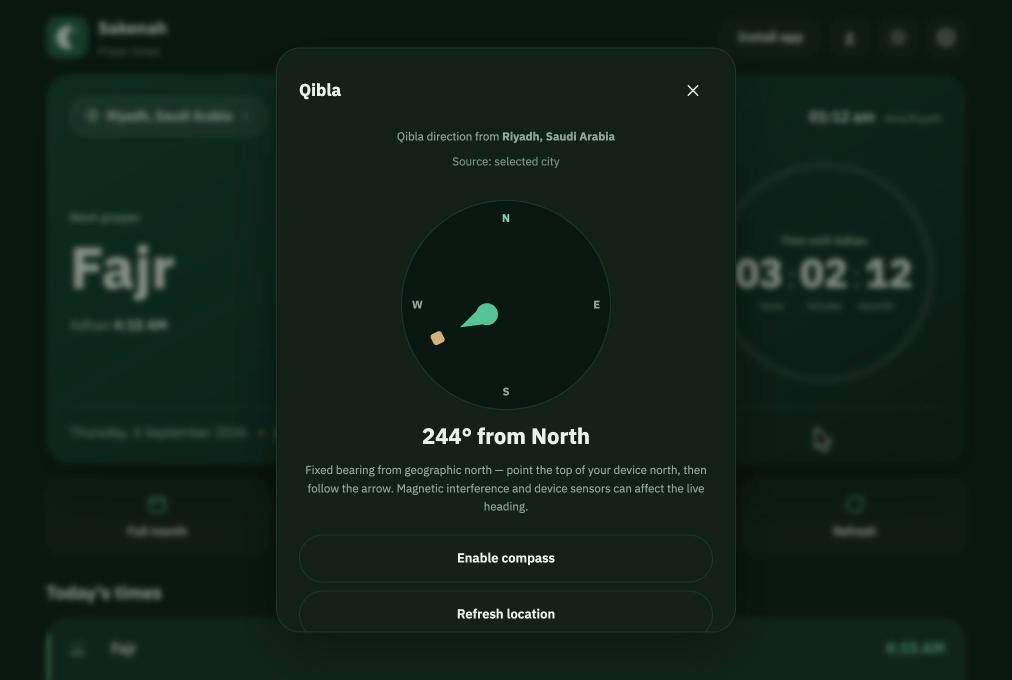
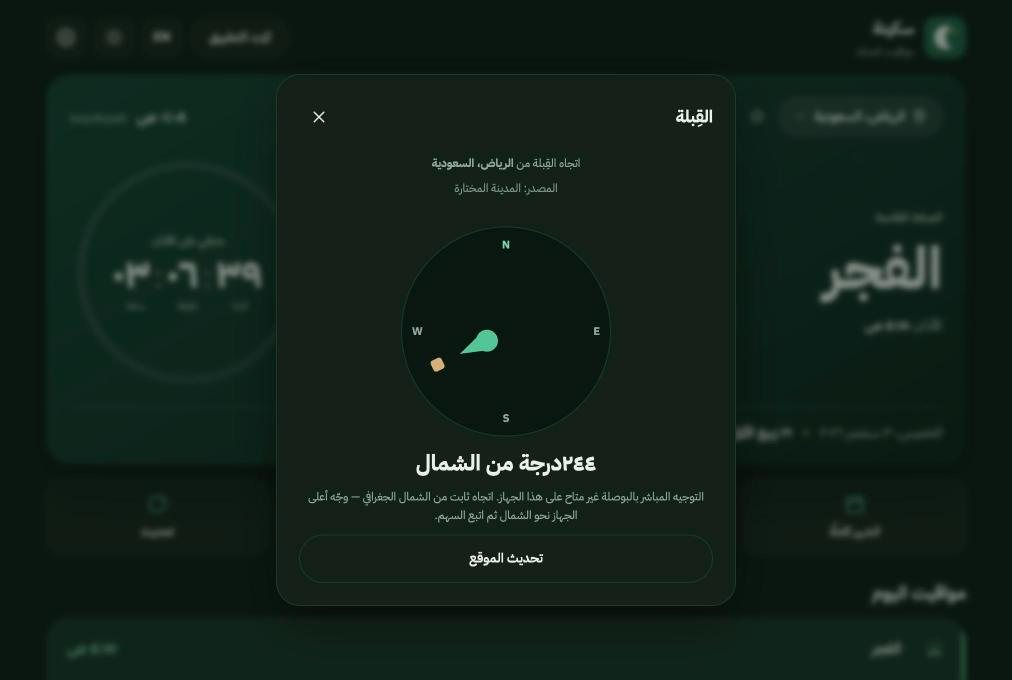
  • Qibla guidance — a bearing from true north, plus a live compass where the device supports one.
  • Calculation methods — selectable, with the method named under the schedule.
  • Arabic and English — full RTL, switchable at any time.

How the times are produced

Times come from the AlAdhan calendar service, requested a whole month at a time and cached locally. The calculation method is explicit and selectable, and the app names the method it used underneath the schedule rather than hiding it.

  • One request per location and month, not one per day.
  • Method and school are part of the cache key, so switching either refetches correctly.
  • Tomorrow’s Fajr is fetched ahead of a month boundary so the countdown never gaps.
  • Times are presented as the chosen authority calculates them; Sakenah does not adjust them.

Qibla guidance, honestly

The Qibla is the great-circle initial bearing from your position to the Kaaba, in degrees clockwise from true north. What the app can promise depends on the device, so it says which one you are getting.

  • Coordinates come from the device when permission is granted, otherwise from the selected city.
  • The panel states the source and whether the reading is a fixed bearing or a live compass.
  • On iOS the compass is requested only from a deliberate tap, never on page load.
  • Where the browser exposes no absolute heading, the needle stays still and says so — a compass that moves without a sensor would be worse than none.
  • Calibration guidance appears once a live heading is actually running.

Magnetic interference and device sensors affect any phone compass, so the live heading is offered as guidance rather than a precision instrument.

Privacy and location

  • No account, no sign-in, no analytics and no advertising.
  • Location is requested only when you ask for it, and is rounded to roughly a kilometre.
  • That rounded value stays in your browser — it is used to fetch times and is never sent anywhere else.
  • Choosing a city instead of sharing location is a first-class option, not a penalty.

Offline and installable

Sakenah is a progressive web app. It installs to the home screen and keeps working without a connection.

  • A month of times is stored locally, so a normal day makes no network request.
  • A service worker caches the app shell and falls back to the last good response.
  • The cache is versioned, so a shipped fix reaches people rather than sitting behind a stale copy.

Selected interface

Captured from the live app.

Technology

Deliberately small: no framework, no build step, no dependency tree.

Stack
  • Vanilla JavaScript (ES modules)
  • CSS custom properties
  • Service worker
  • Web app manifest
  • localStorage caching
  • AlAdhan API
  • Arabic / English i18n
  • Node test runner